
Follow these steps to upload files using the Plesk File Manager.
- Log in to your Plesk account.
- Click Files in the sidebar menu.

- Under File Manager, enter the
httpdocsdirectory.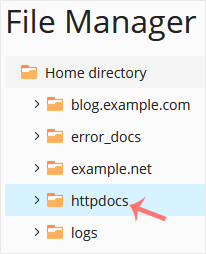
- Click the plus icon and choose Upload. Then select the file you want to upload from your computer.
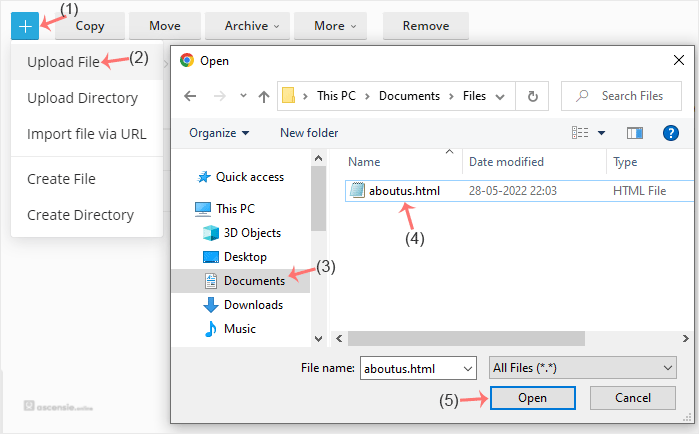
- Click Open.
Tip: you can select multiple files. Press and hold the CTRL key and click the files you want to select.




Add Comment