
Softaculous makes installing web applications very easy. Follow the steps below to install bbPress Forum.
- Log in to your cPanel account.
- In the Software section, click Softaculous Apps Installer.
- cPanel redirects you to the Softaculous interface.
- On the left side, locate the Forums category. Click it and then click the bbPress link that appears.
- Click Install.
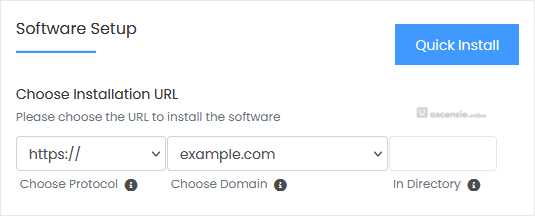
- Fill in the necessary fields under Software Setup:
- Choose Installation URL: Choose the appropriate protocol/domain. In the In Directory field, enter a directory name if you want to install in a subdirectory (e.g. example.com/directory). Otherwise leave it blank to install on your main domain (e.g. example.com).
- Enter the following details under Site Settings:
- Site Name: Name of the forum.
- Site Description: Your site description.
- Enable Multisite (WPMU): Leave this as it is.
- Under Admin Account, enter the following information:
- Admin Username: Your new bbPress username (for security reasons, do not use administrator or admin).
- Admin Password: Use a strong password.
- Admin Email: Your email address. Useful for admin password resets, notifications, etc.
- Select Plugin(s): You can skip this or select the plugins you want to install.
- Advanced Options: Leave this unless you want to change the database name or take an automated backup. Note that frequent backups may use a lot of disk space.



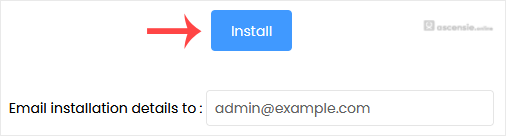
Finally, scroll to the bottom of the page and click Install.
Note: Copy the admin username and password to a safe place. You will need them to access the admin area of your bbPress forum later.




Add Comment