
A fresh WordPress install comes with sample comments and posts. You can easily remove them as follows.
- Log in to the WordPress dashboard.
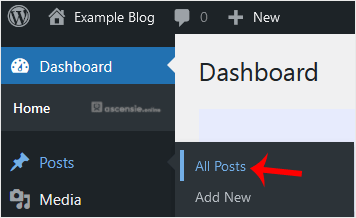
- From the Dashboard menu, go to Posts and click All Posts.
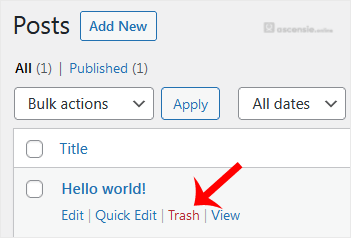
- Hover over the sample post and click Trash.
- Do the same with the sample pages. Go to Pages and remove the sample pages.

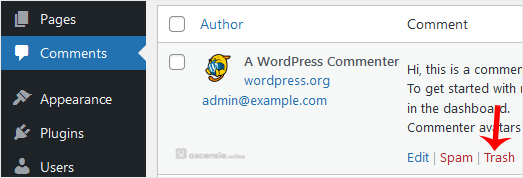
- Similarly, remove sample comments. Choose Comments from the dashboard, hover over a comment and choose Trash.
After these steps, your blog will be free of sample comments and posts.




Add Comment