
You can delete posts in bulk in WordPress. You can also delete selected posts in bulk.
- Log in to the WordPress dashboard.
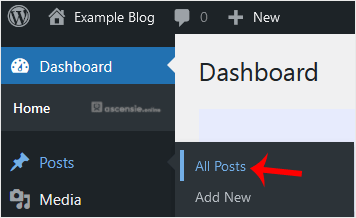
- From the Dashboard menu, go to Posts and click All Posts.
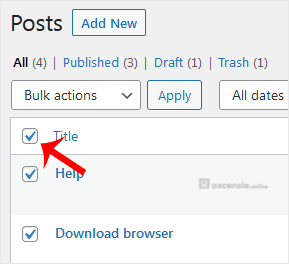
- Check the top checkbox to select all posts.
- Click Bulk Actions and select Move to Trash from the drop-down menu. Then click Apply.
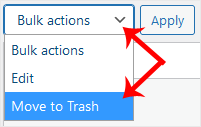
Your posts have been moved to Trash. If you want to delete them permanently, click Trash and choose Empty Trash.




Add Comment