
You should remove unused themes. It is good practice to protect your WordPress website from vulnerabilities by not keeping old, unused themes.
- Log in to the WordPress dashboard.
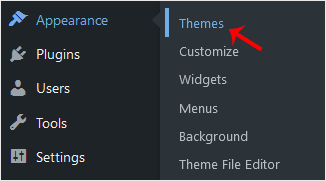
- From the Dashboard menu, go to Appearance and click Themes.
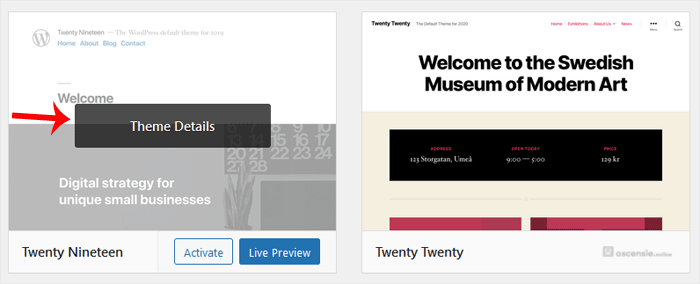
- Hover over the theme you want to remove and click Theme Details.
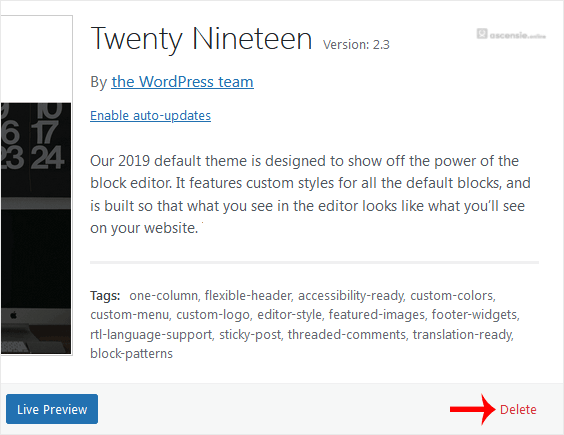
- Click Delete and confirm with OK. The Delete option is at the bottom right of the window.
You have successfully removed the theme.




Add Comment