
The automatic installation of a plugin is easy and straightforward. However, you can also install it manually. This involves manually downloading a plugin, uploading it, and activating it.
Make sure you have already downloaded a zip file of the plugin to your desktop.
- Log in to the WordPress dashboard.
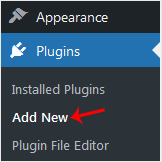
- From the Dashboard menu, go to Plugins and click Add New.
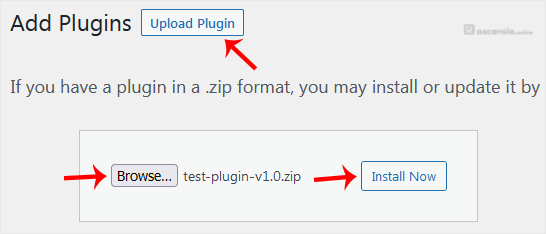
- Click Upload Plugin and then Browse. Choose your plugin's zip file and click Install Now.
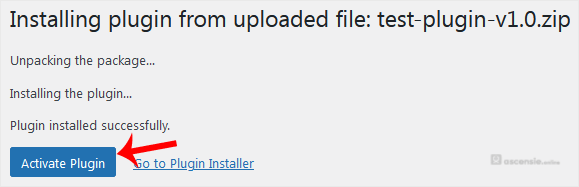
- Click Activate Plugin.
Note: After activating a plugin, a new menu for that plugin is added to the Dashboard menu.




Add Comment