
Je kunt het wachtwoord eenvoudig wijzigen als je toegang hebt tot je WordPress-account.
- Log in op het WordPress-dashboard.
- Ga in het dashboardmenu naar Gebruikers en klik op Profiel.
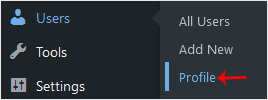
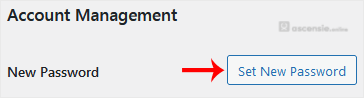
- Scroll omlaag naar Accountbeheer en klik op Nieuw wachtwoord instellen.
- Kopieer het wachtwoord naar een veilige plek en klik op Profiel bijwerken om je wachtwoord te wijzigen.




Opmerking toevoegen