
You can easily change the password if you have access to your WordPress account.
- Log in to the WordPress dashboard.
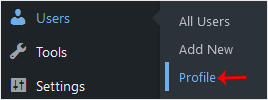
- From the Dashboard menu, go to Users and click Profile.
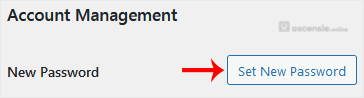
- Scroll down to Account Management and click Set New Password.
- Copy the password to a safe place and click Update Profile to change your password.




Add Comment