
You can create or remove a directory on your website using the FileZilla FTP client.
- Open the FileZilla FTP client.
- Enter your FTP host, username, and password. You can use your cPanel username and password as your FTP user and password. Then click Quick Connect. Enter your domain name in the Host field, such as
ftp.example.comorexample.com.
- To create a directory inside the
public_htmlfolder, open it by double-clicking it, or open any other directory where you want to create a new folder.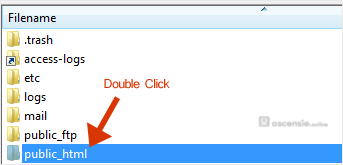
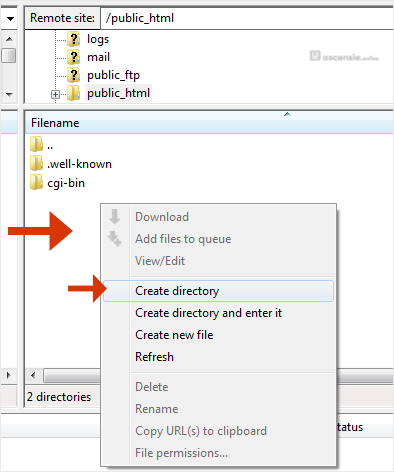
- Right-click in the remote directory on the right side and select Create directory from the context menu.
- Enter the directory name, such as
imagesor any other name you want.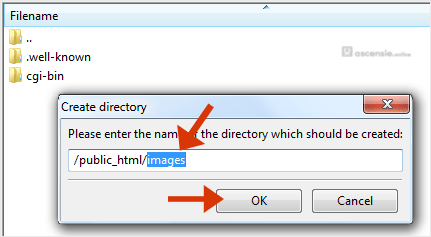
- Your newly created directory appears. Double-click it to enter it.
How to delete or remove a directory
- Right-click the directory you want to delete.
- Choose Delete in the context menu and confirm with Yes.
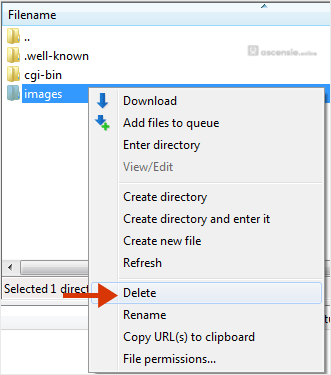
You can use this method to remove any directory or file.




Add Comment