
Follow these steps to reset your Plesk account password.
- Open your Plesk login URL.
- Click Forget your password.

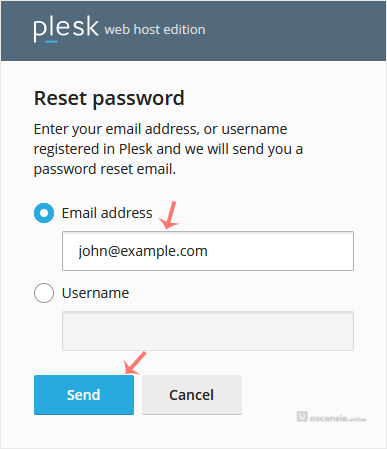
- On the Reset password page, enter your email address or choose the Username option. Then type your username and click Send.
- You should receive an email with the reset link. Open it.
- Enter the new password or click Generate to create one. You can copy it by clicking the view password icon.
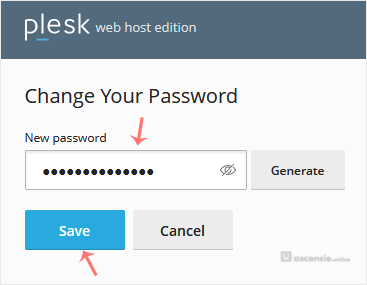
- Click Save.
After resetting the password, you can log in to Plesk with the new one.




Add Comment