
Follow this tutorial to create scheduled tasks (cron jobs) in Plesk.
- Log in to your Plesk account.
- Click Websites & Domains in the sidebar menu.

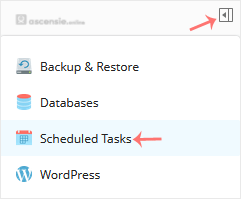
- Click the pull icon in the right sidebar and choose Scheduled Tasks.
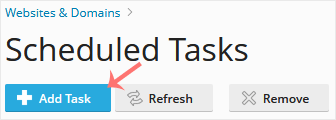
- Under Scheduled Tasks, click Add Task.
- Enter the following details:
- Webspace: Choose the appropriate domain from the drop-down menu if you have multiple domains.
- Task Type: Choose the appropriate option for your needs.
- Command/Script Path: Depends on your choice. If you set Task type to Run a command, enter a command.
- Run: To run your command every day, choose Daily and enter the time and hour.
- Description: Type a description of the task.
- Notify: Select Errors only or leave it as it is.
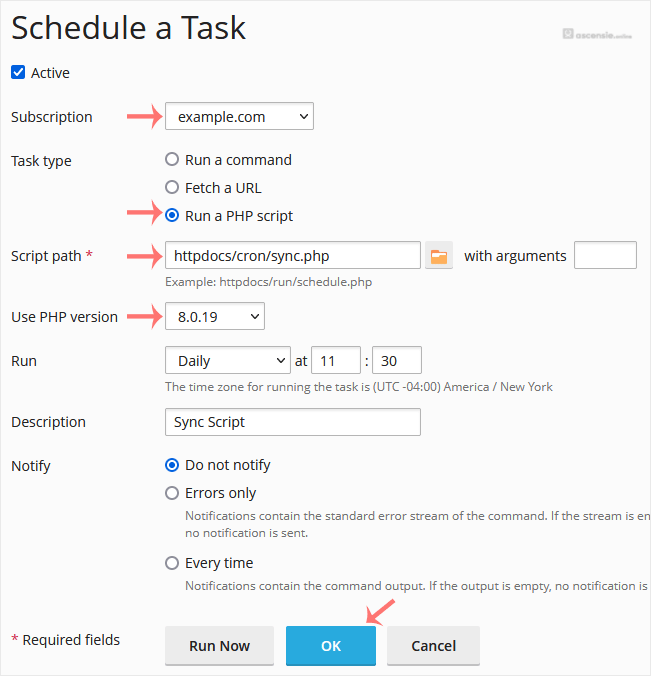
- Click OK.
Your task will be scheduled. Click Run Now to verify the task.




Add Comment