
You can remove a domain in Plesk by following this tutorial.
- Log in to your Plesk account.
- Click Websites & Domains in the sidebar menu.

- Under the list of domains, click the More icon
 in front of the domain and select Remove website.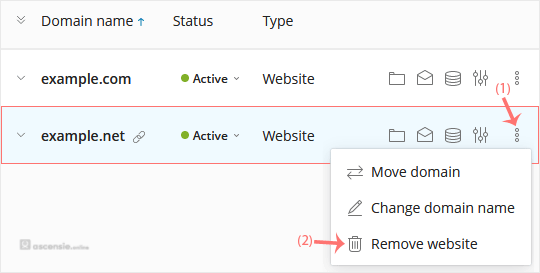
- Confirm with Yes to remove the domain.




Add Comment