Webmail
EUR
EUR
Login
Register
-----
Forgot Password?
Dashboard
My products
Domains
Domains
My Domains
-----
Domain Renewals
Register a New Domain
Transfer Domains to Us
DNS beheren
Wachtwoorden
Billing
Billing
My Invoices
My Quotes
-----
Mass Payment
Automatisch incasso
Kennisbank
Helpdesk
Helpdesk
Tickets
Announcements
New Item
Webmail
EUR
EUR
Login
Register
-----
Forgot Password?
How to rename an email address in Plesk
Portal Home
Knowledgebase
How to rename an email address in Plesk
Log in to your Plesk account.
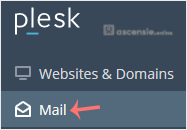
Click
Mail
in the sidebar menu.
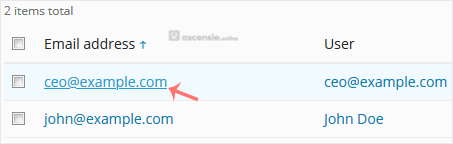
In the email list, click the email account you want to rename.
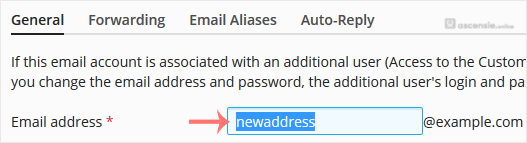
Enter the new email name in the
Email address
field.
Scroll down and click
OK
.
Print
Share via:
Comments
Add Comment
Replying to:
Name
Message
Confirm Submission
Please enter the text from the image in the box provided; this helps us to prevent spam.
Generate Password
Please enter a number between 8 and 64 for the password length
Password Length
Generated Password
Generate new password
Copy





Add Comment